
Capital Gains on TurboTax: Step-by-Step Filing Walkthrough
Import 1099-Bs, verify basis, report crypto and home sales, review Schedule D, and avoid the mistakes that trigger IRS notices. A complete TurboTax walkthrough.

Why TurboTax for Capital Gains
TurboTax manages capital gains by importing your 1099-B, 1099-DA, and 1099-DIV forms directly from brokerages, then walks through basis verification, holding-period sorting, and Schedule D reconciliation screen by screen. Most investment sections finish inside an hour when auto-import works without discrepancies.
TurboTax remains the single most widely used consumer tax software for reporting investment gains across America. Its import system, guided interview flow, and built-in error checks handle most investor situations cleanly.
The software converts confusing broker statements into correct Schedule D entries automatically every single time.
The real value appears whenever your situation involves multiple brokerages or several different asset types at once.
Manual Form 8949 entries across dozens of separate sales invite transcription errors at every single step. TurboTax instead aggregates every lot, applies the right holding periods, and checks all the math automatically. The official Form 8949 instructions resolve most import-discrepancy questions at the source.
Cost matters far less than accuracy once any portfolio grows past a few dozen transactions. One wrong basis figure can cost you more than every year of software fees combined.
The detailed audit trails TurboTax builds also help enormously if questions ever arrive later on.
This walkthrough follows the exact path a typical investor takes through the current software. It covers stock sales, crypto reporting, home sales, and the final review steps in order.
Each section below also points out the common slip-ups that draw IRS notices later.
Documents to Gather Before Starting
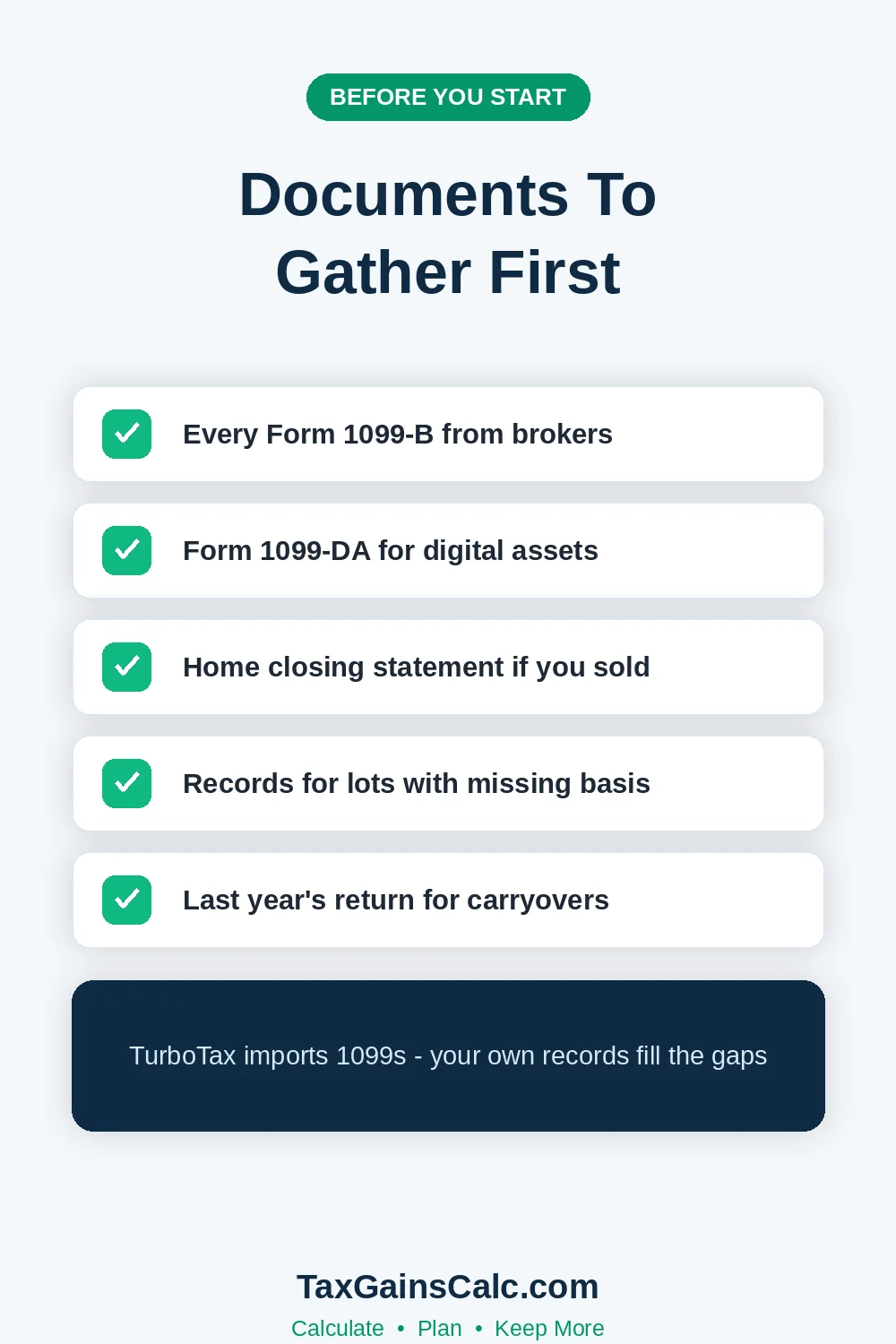 Strong document preparation makes the entire filing session dramatically shorter and significantly far less stressful. Collect every single tax form before entering one number into the software.
The checklist below covers what most typical investors actually need each year.
| Document | What It Contains | Typical Source |
|---|---|---|
| Form 1099-B | Stock and fund sales, basis | Brokerage firms |
| Form 1099-DA | Digital asset disposals | Exchanges and brokers |
| Form 1099-DIV | Capital gain distributions | Mutual fund companies |
| Form 1099-S | Real estate sale proceeds | Closing agents |
| Settlement statements | Home sale costs and basis | Your own records |
Missing tax forms remain the leading cause of amended returns among active investors today. Brokers must send their copies to you and the IRS by mid-February in most years.
Waiting until every form arrives beats amending later by a genuinely wide margin here.
Corrected forms called amended 1099s arrive whenever brokers discover their own reporting errors afterward. Filing before those corrections land usually means filing twice during the very same season.
Patience through late February saves most active investors that entire second filing each year.
Log into each brokerage account and download the consolidated tax statement directly instead. The consolidated version combines all subsidiary forms into one single PDF download.
Our Form 1099-B guide decodes every single box shown there.
Print or save the transaction-level detail supplement alongside those summary pages as well. The summary alone hides all the per-lot basis information you may need much later.
Auditors and amended returns both start from that transaction-level detail instead.
| Asset Type | TurboTax Section | Forms Produced |
|---|---|---|
| Stocks and ETFs | Investments and Savings | 8949 and Schedule D |
| Cryptocurrency | Digital assets interview | 8949 and Schedule D |
| Home sale | Real estate interview | Schedule D plus worksheet |
| Mutual fund distributions | Investments and Savings | Schedule D line 13 |
Entering Your First Form 1099-B
 TurboTax routes all of your investment reporting through the Wages and Income area first. Select Investments and Savings, then choose the stocks, mutual funds, or other investments option.
The software offers direct import connections from every major brokerage with a simple login flow.
Importing usually populates every covered lot with proceeds and basis within a few seconds. Verify every import anyway, because covered and uncovered lots mix more often than expected.
Older positions transferred between brokers often arrive without complete basis information attached anywhere.
TurboTax displays the covered flag on every single imported lot clearly and visibly. Covered lots carry broker-reported basis that the IRS already mirrors on its own side. Uncovered lots need your own records to survive any future IRS matching checks.
Each imported transaction shows three separate fields that deserve your careful attention always. Proceeds, cost basis, and the calculated gain must reconcile with your own records. Any discrepancies between broker basis and actual basis need correction before filing anything.
The software simply cannot verify basis that it never received from anywhere else. Reinvested dividends, gifted shares, and estate transfers all change true basis silently over time. Only your own purchase records can confirm the numbers brokers report.
Uncovered securities require manual basis entry with supporting documentation kept nearby. The software marks those transactions clearly so the IRS understands the exact situation. Our Form 8949 walkthrough shows the underlying mechanics completely.
Short-Term Versus Long-Term Handling
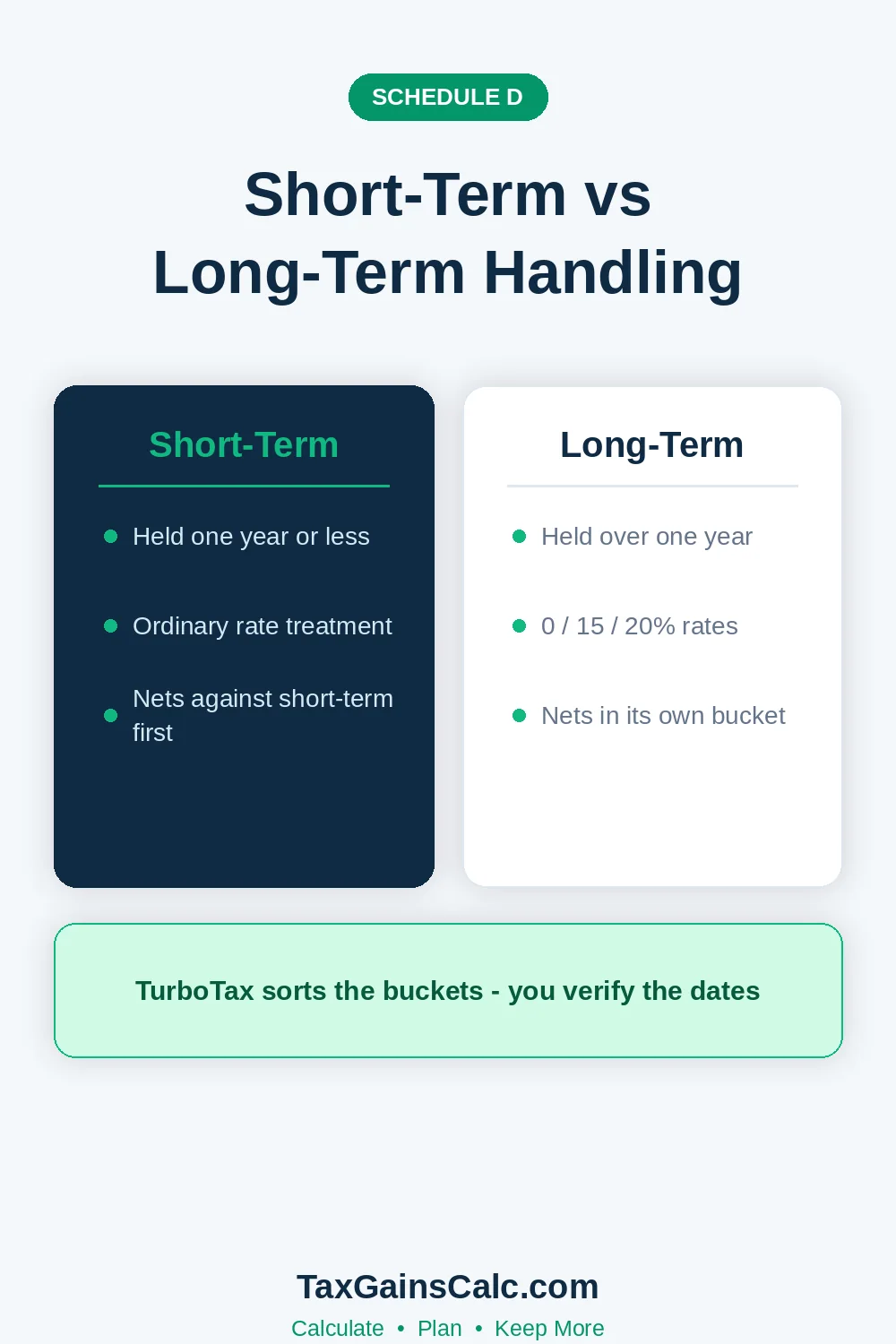 The software classifies each sale automatically based on the original purchase and sale dates. Review those classifications carefully whenever you suspect any import or manual entry error. Wrong holding periods produce wrong tax rates that the IRS computers check rigorously.
The software then sorts each transaction into its proper short- or long-term Form 8949 box. Box A, B, and D entries flow into Schedule D automatically afterward. Our three-form comparison guide maps the entire reporting flow completely.
Corporate actions like mergers and spinoffs sometimes confuse the classification logic quietly. The software asks follow-up questions whenever suspicious dates suggest a missing corporate event. Answering them with your broker's official corporate action notice keeps everything aligned correctly.
Stock splits divide existing basis proportionally while spinoffs allocate it by government formula. Getting either one of them wrong distorts every future sale of those shares. Brokers publish allocation letters for exactly this purpose each year.
Reporting Crypto in TurboTax
 Crypto reporting follows its own dedicated interview path inside the same Investments section. TurboTax asks the digital asset question and builds Form 8949 entries from your history. Exchanges increasingly deliver Form 1099-DA data that imports directly like securities.
Import your crypto transactions through TurboTax's supported exchange connections wherever available. Otherwise export a complete transaction history from each exchange and upload that instead. The software then matches the lots and computes gains using your chosen basis method.
Your crypto gains deserve a consistency check across every exchange you actually used. Method choices made separately per exchange can conflict and create real reporting mismatches. One uniform method across all platforms keeps every return aligned.
Reconcile the imported totals against the actual Form 1099-DA you received. Mismatches between exchange reports and wallet records remain common across this young industry. Our crypto Form 8949 guide walks through each entry field in detail.
Never forget the digital asset question sitting on page one of your federal return. TurboTax asks it early and carries your answer straight to the actual form. An honest yes costs nothing and satisfies the disclosure requirement completely.
That question covers receiving, selling, exchanging, and spending digital assets alike. Even small staking reward receipts technically require the affirmative answer on this question. Leaving it blank after any activity invites automated scrutiny very quickly.
Entering a Home Sale Correctly
Home sales follow their own dedicated real estate interview inside the software flow. TurboTax asks for sale proceeds, purchase basis, capital improvements, and selling expenses right there. The Section 121 exclusion logic then applies itself automatically where eligible.
Gather your settlement statement and improvement receipts before starting that interview. Which records matter most is spelled out in the home sale documents checklist. Entering improvements correctly often eliminates the entire taxable gain by itself.
Exclusion eligibility questions come next and cover marital status plus prior sales history. Answering those honestly prevents future audits of improperly claimed exclusions later. The software remembers prior exclusions across the years automatically afterward.
Married couples should verify the ownership and use tests inside the interview. The software walks through the two-of-five-years rules with clear simple questions. Our Section 121 guide covers the edge cases like partial exclusions.
Reviewing Schedule D Before Filing
The careful review stage is where TurboTax genuinely earns its entire subscription cost. Open the form preview mode and inspect the Schedule D line by line. Compare every subtotal against your own complete records before submitting anything.
| Schedule D Area | What to Verify | Common Error |
|---|---|---|
| Line 1b and 8b totals | Proceeds and basis match 1099s | Missed accounts |
| Short-term versus long-term split | Holding periods classified right | Boundary dates |
| Carryover losses | Prior-year amounts entered | Forgotten carryforwards |
| Wash sale adjustments | Broker adjustments carried over | Duplicate losses |
Our complete Schedule D walkthrough covers what each preview line should contain. Ten patient minutes of comparison prevents most correction notices entirely. The software simply cannot know about accounts you never entered.
Check the capital loss carryover worksheet if your losses exceeded gains this year. TurboTax tracks carryforwards automatically only when it also prepared last year's return. Otherwise, enter the prior-year amount manually from your old Schedule D copy.
Carryover losses reduce future gains automatically once entered correctly a single time. The software then applies them before computing any final tax liability. Losing track of carryovers remains one of the costliest amateur mistakes.
Estimating Payments After a Large Gain
A large gain discovered at filing time often means a penalty notice follows shortly. TurboTax computes any underpayment penalty automatically whenever one actually applies. Filing Schedule AI through the software can often reduce that penalty.
Set a reminder inside the software itself to raise next year's quarterly estimates. The program carries that payment reminder into your filing checklist afterward. Our estimated payments guide sizes those quarterly amounts correctly.
You can also raise W-2 withholding instead of paying quarterly estimates after a mid-year sale. The software models withholding scenarios whenever you add expected changes. Our payment guide covers Direct Pay and EFTPS setup steps.
Common TurboTax Mistakes to Avoid
Importing the same 1099 form twice is the single most common filing error. Duplicate entries double your gains and produce an incorrectly larger final tax bill. Always delete and re-import rather than adding any second copy manually.
Ignoring basis warnings on transferred positions creates mismatched IRS records permanently. The software flags basis as unknown or zero in exactly those situations. Fixing the actual basis prevents a CP2000 notice eighteen months later.
Forgetting state return checks causes the second most common filing surprise. States tax gains as ordinary income and expect matching reported entries. Our state comparison guide explains that state layer fully.
Skipping the final data review screen skips TurboTax's very best error checks. That screen compares your entries against statistical expectations and your prior year returns. Accepting its suggestions after careful review catches most remaining mistakes quickly.
The final screen also flags any missing state return entries proactively each time. Investors in gain-heavy states owe matching state reporting on every sale. Our New York example shows how state layers stack.
Free editions sometimes lack the schedules your particular situation actually requires. The software upgrades automatically but the resulting fee surprise frustrates filers each year. Qualifying incomes can file entirely free through the IRS Free File program instead.
Final Checks Before Submitting
Run the final review and read every flagged item rather than dismissing them. Confirm the digital asset answer reflects all your actual activity for the year. Verify that every single brokerage account you owned appears somewhere in the return.
Save the complete PDF copy with all worksheets before you e-file anything. The saved worksheets carry your carryover amounts into future years safely. Filing the return online stores only a summary copy in most cases here.
Seven years of retained worksheets covers most audit statute windows comfortably. Store copies in two locations including one cloud backup somewhere. Paper records fade while cloud accounts survive computer upgrades easily.
Complex situations still deserve a professional human review despite good software. Multi-state moves, inheritance sales, and business assets stretch consumer software limits. Our general reporting guide explains exactly when escalation makes sense.
While this return is still fresh, run the numbers on sales you're considering next year. Our capital gains calculator estimates the whole bill in a few minutes. The bracket calculator then nails down the exact marginal rate you face.

Wasim Akram
Wasim researches and writes every article on TaxGainsCalc, covering capital gains tax for everyday investors. Every figure is checked against primary IRS sources before it goes live.