Capital Gains on H&R Block: Step-by-Step Filing Walkthrough
Import broker statements, classify gains, enter crypto, apply the home exclusion, and review Schedule D in H&R Block. DIY versus office help compared.

How H&R Block Handles Investment Gains
H&R Block reports capital gains through imported 1099-B, 1099-DA, 1099-S, and 1099-DIV forms, then separates short-term from long-term transactions automatically. The guided interview handles cost-basis adjustments, wash sales, and Schedule D matching, and both the online and desktop versions e-file the finished return. The Form 1099-DIV instructions answer most import questions before they start.
H&R Block gives every investor two distinct paths for reporting capital gains each filing season.
The DIY software handles most ordinary portfolios at home, while office professionals take complex cases. Both paths produce identical Schedule D and Form 8949 results whenever the inputs are complete.
The software routes all investment income through a dedicated Wages and Income interview section. That interview asks targeted questions about every account type you owned during the tax year.
Investors holding a single brokerage account usually finish the entire flow within one hour.
This complete walkthrough covers the full journey from raw documents through final state return checks. It also flags the specific decision points where mistakes most often happen along the way.
Every section here applies to the recent software versions using the current federal forms.
The official Schedule D instructions at IRS.gov remain the reference behind every screen. Reading them once beforehand makes each software question feel familiar rather than confusing.
Ten patient minutes with those official instructions completely transforms the entire software experience.
Start With a Complete Document Set
 Your investment filing quality gets decided before any software even opens at all. Gather the consolidated tax statements from every brokerage, exchange, and fund company first. The reference table below lists the standard document set most investors actually receive.
| Form | Reports | Who Sends It |
|---|---|---|
| 1099-B | Security sales with basis | Brokerages |
| 1099-DA | Digital asset disposals | Crypto platforms |
| 1099-DIV | Fund capital gain distributions | Fund companies |
| 1099-S | Property sale proceeds | Closing agents |
Always reconcile the statement totals against your own transaction records before importing anything. Brokers occasionally aggregate similar lots in ways that hide the individual holding periods.
The transaction detail supplement preserves all those per-lot dates for later verification work.
Filings submitted before all corrected statements arrive usually invite amended returns later on. Corrected statements showing up in late February are almost routine every filing season.
Our detailed broker form guide explains every single box in plain language terms.
Navigating to the Investment Interview
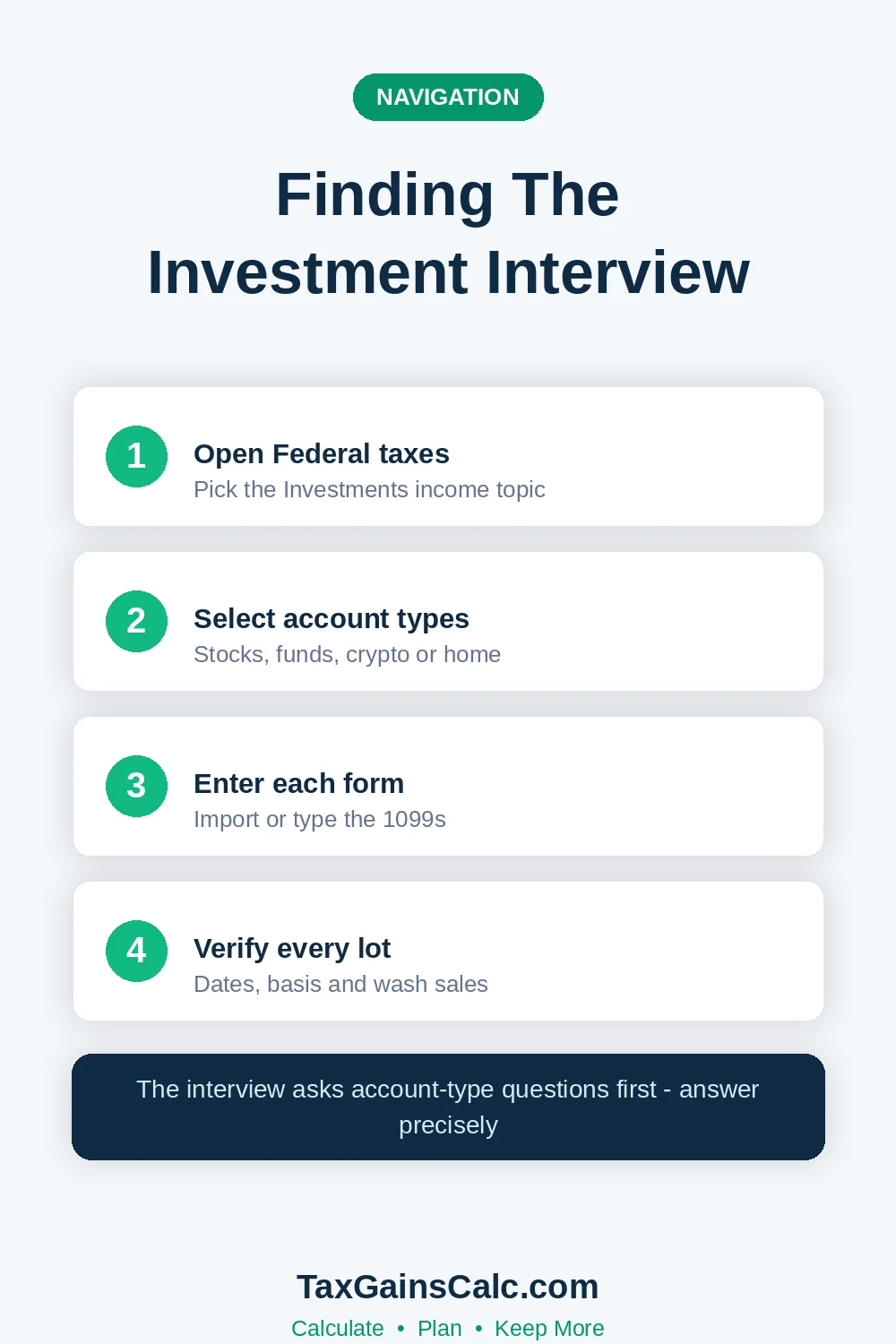 Every investment entry point lives in the software's Wages and Income area. A single menu choice there opens the investment interview.
Choose the investment income category that matches each account type you actually hold. Stock and fund accounts follow the securities path while crypto uses its own interview.
Secure import options connect directly to all the major brokerages through credential-based links. Careful manual entry works identically for investors who prefer not to link accounts.
Either import route ends up at exactly the same transaction review screen afterward.
Review every single imported lot for basis completeness before accepting the final results. Covered securities usually import with their complete basis and acquisition dates attached automatically.
Uncovered positions and transferred assets often show completely missing or unknown basis values.
Fix all unknown basis values with your own records rather than accepting defaults. A zero basis quietly overstates gains and produces an inflated tax bill immediately.
Our basis methods guide explains how missing records get reconstructed.
Investment newcomers sometimes wonder whether dividend reinvestments need separate handling here. Every reinvested dividend opens its own purchase lot with a fresh date and basis.
Decades of reinvesting produce hundreds of tiny lots the software handles quietly.
Classifying Gains by Holding Period
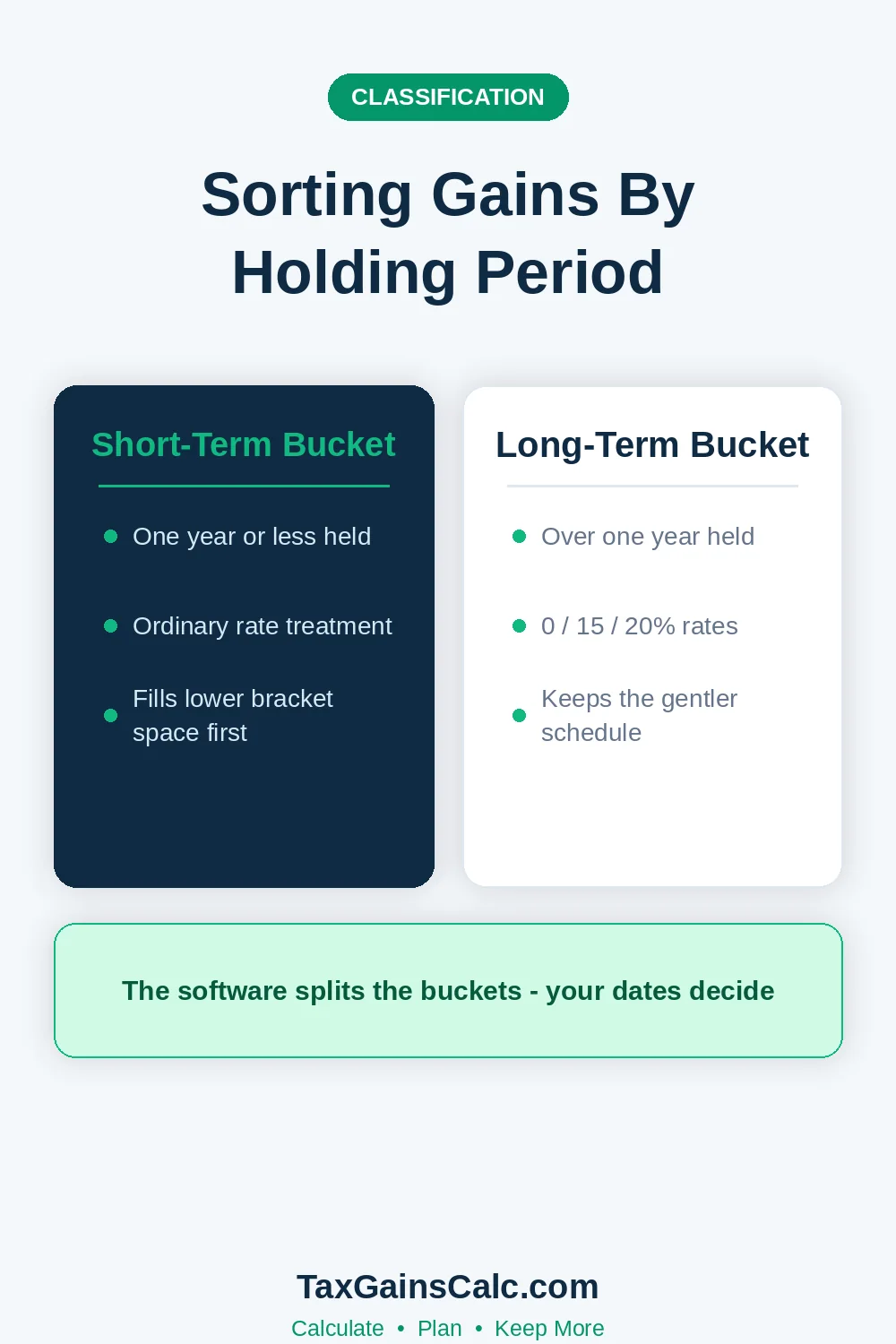 The software files every disposal as either short-term or long-term without asking you. That automatic sorting ultimately drives which rate schedule applies to each calculated gain. Verify every boundary-date transaction where the holding period falls close to one year.
The one-year mark starts counting the day after you bought and ends at sale. A position bought on March 1, 2025 and sold on March 2, 2026 is long-term. Our complete holding period guide covers every single boundary rule with real examples.
Wash sale adjustments always deserve very special scrutiny inside the imported transaction list. Brokers add all their disallowed losses back to basis using special adjustment codes. Accepting those broker adjustments without any review sometimes double-counts the same economic loss.
Entering Crypto and Digital Assets
 The digital asset interview always starts with the required front-page disclosure question first. Answer honestly about any receiving, selling, or swapping activity during the whole year. The software then builds every required Form 8949 entry from your transaction history.
Direct platform connections import the complete transaction histories from the largest exchanges automatically. Smaller platforms require a complete CSV export uploaded through the software import screen. Both routes produce the same per-lot gain calculations afterward.
Match your imported crypto totals against whatever Form 1099-DA arrived. Mismatches between platform reports and personal wallet records still remain extremely common industry-wide. Our full crypto reporting guide covers those entry screens in careful detail.
Staking payouts and mining earnings stay out of the disposal interview entirely. Mixing them in creates ordinary-income entries in the wrong place.
Those reward receipts are ordinary income reported separately on the main tax return. Only the much later sale of received coins belongs on Form 8949 itself.
Traders using decentralized platforms genuinely face extra data homework inside this same interview. Those platforms report nothing to the IRS, so your personal records carry everything. Our DeFi guide covers liquidity pools and lending positions.
Home Sale and Exclusion Handling
Real estate sales follow their own guided interview inside the personal income section. The software requests the sale proceeds, original basis, improvement costs, and selling expenses. The Section 121 exclusion then applies wherever the ownership and use tests pass.
The interview asks about the two-of-five-years tests in plain questions. Married couples answer jointly and the software then applies the larger $500,000 limit. Our home exclusion guide covers reduced exclusions and exceptions.
Keep the settlement statement and improvement receipts together with your filed return copies. Those carefully saved documents prove the exclusion claim if questions ever arrive later. Our documents checklist assembles the full set in one place.
Basis questions dominate the review stage far more than rate calculations ever do. A wrong basis figure flows through every downstream form without any warning. The preview screens make those wrong numbers look confidently official.
Reviewing the Results Before Filing
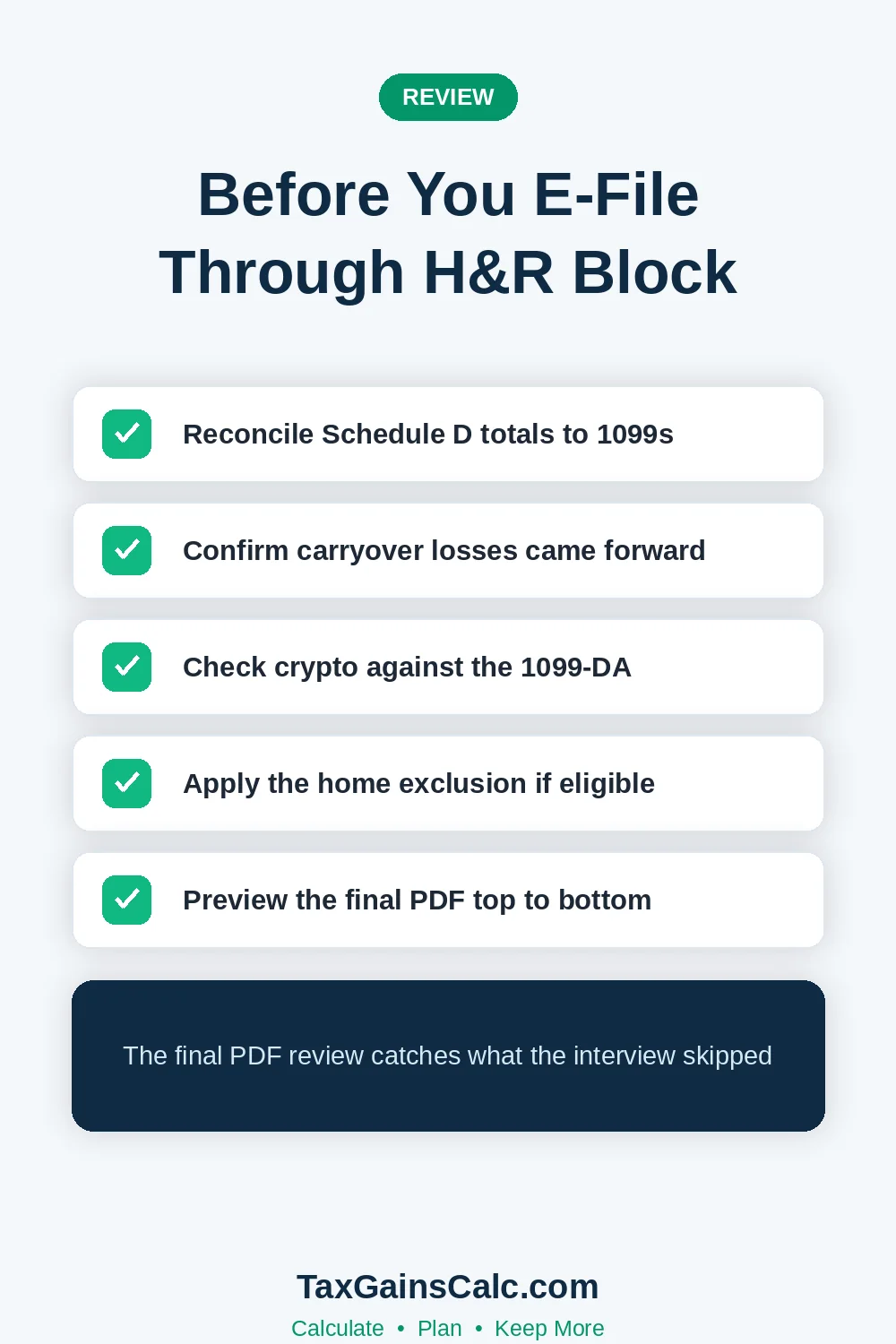
Form previews display every Schedule D subtotal the software computed. Compare each computed figure against your own records and the imported statement totals. The comparison table above lists the four verification checks that catch most errors.
| Check | Expected Match | Failure Cause |
|---|---|---|
| Short-term proceeds total | All 1099-B box 1d values | Missing account |
| Long-term basis total | Broker-reported basis figures | Unknown basis defaults |
| Net gain or loss | Your own calculation | Classification errors |
| Carryover worksheet | Prior-year Schedule D | Lost carryforward |
Our Schedule D walkthrough explains what each preview line means. The Form 8949 guide details each transaction row behind them. Ten careful minutes here prevents most IRS matching notices.
Confirm that the capital loss carryover from prior years appears exactly where expected. The software imports carryforwards automatically only from its own prior returns. Careful manual entry from an old paper return works just as reliably here.
Your state returns also deserve their own separate review pass inside the software. Most states tax a capital gain the same way they tax wages, no breaks. Our full state comparison post shows exactly what each state expects from filers.
California and New York each add thousands to large gain bills for residents. No-tax states eliminate the state layer entirely for residents. Moving decisions always deserve careful analysis long before any sale contract gets signed.
A domicile change only sticks when real supporting evidence backs it up. States audit claimed exits aggressively whenever large gains follow the move too quickly. Document everything about the move while the details remain completely fresh.
A domicile change holds up only with solid, verifiable evidence behind it. States audit claimed exits aggressively when large gains follow quickly. Our Texas guide covers the single most popular destination in real depth.
| Situation | Best Route | Why |
|---|---|---|
| One brokerage, no home sale | DIY software | Fast import and low cost |
| Crypto across many platforms | DIY with patience | Imports plus CSV uploads |
| Multi-state or estate sales | Office professional | Allocation and signing help |
| Business or rental sales | Office professional | Form 4797 complexity |
Choosing Between DIY and Office Help
Simple portfolios with one brokerage and no home sale fit the DIY software well. The guided interview flow handles those cases with minimal friction and predictable cost. The full import, review, and file cycle typically completes within one single evening.
Complex situations fully justify the office professional route despite the significantly higher cost. Multi-state moves, estates, business sales, and large crypto histories all clearly qualify here. A professional also signs the prepared return, which transfers some preparation responsibility over.
Mid-complexity filers can start inside the software and escalate only when genuinely stuck. The hybrid approach keeps costs controlled without sacrificing accuracy. Bringing fully complete records to any professional meeting saves real billed hours later.
Professional preparers always bill time for record reconstruction at their highest hourly rates. Well-organized clients always pay for judgment instead of paperwork recovery every single time. A folder per account is the simple structure that works every time.
The office route also helps investors who simply dread all tax paperwork forms. Handing a complete organized folder to a professional removes the entire filing burden. That genuine peace of mind justifies the entire fee for many busy families.
Ask any preparer how they handle basis reconstruction before committing. Basis questions dominate complex investment returns more than rate questions do. Our reporting guide lists the questions worth asking.
Large gains change the payment conversation more than any other filing variable. A single sale can push quarterly estimates from unnecessary to mandatory overnight. Build the payment decision directly into every sale decision going forward.
Handling Large Gains and Estimated Payments
A surprisingly large tax bill at filing usually signals an estimated payment gap. The software computes any underpayment penalty and displays the cause. Our penalty guide walks through those quarterly mechanics carefully.
Plan next year's quarterly payments immediately after filing the current return. The software carries reminder flags into next year's checklist automatically. Our estimates guide sizes each payment correctly.
Withholding adjustments sometimes beat estimated payments for late-year gains. Payroll withholding counts as evenly paid across all four quarters. Our online payment guide covers both approaches.
One final organizational habit saves future filers real time every year. Keep a running notes file describing each account, its basis quirks, and open questions. Next year’s filing session starts from notes instead of mysteries.
Final Tips Before You File
Save the complete PDF with worksheets before submitting the e-file. The worksheets preserve carryovers, basis details, and exclusion calculations. Future years depend on those figures remaining accessible somewhere.
Verify the digital asset answer and every account inclusion one final time. Silence about an account is the error the IRS detects fastest. Our deadline guide and the IRS e-file options page round out the logistics.
Before the current figures go cold, run projections on every sale you're weighing for next year. Our capital gains calculator can project that federal bill in seconds. Pair it with the thresholds guide for complete planning context.

Wasim Akram
Wasim researches and writes every article on TaxGainsCalc, covering capital gains tax for everyday investors. Every figure is checked against primary IRS sources before it goes live.